




Ask our Experts
Didn't find what you are looking for? Ask our experts!
Share Your Feedback – Help Us Improve Search on Community! Please take a few minutes to participate in our Search Feedback Survey. Your insights will help us deliver the results you need faster and more accurately. Click here to take the survey
Schneider Electric support forum about Power Meters (ION, PowerTag, PowerLogic) and Power Quality from design, implementation to troubleshooting and more.
Search in
Link copied. Please paste this link to share this article on your social media post.
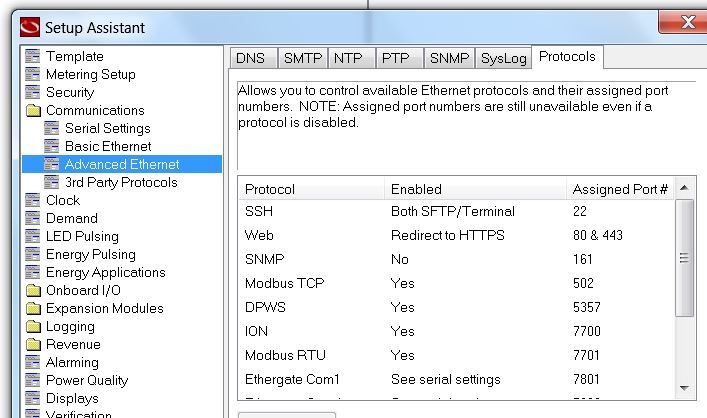
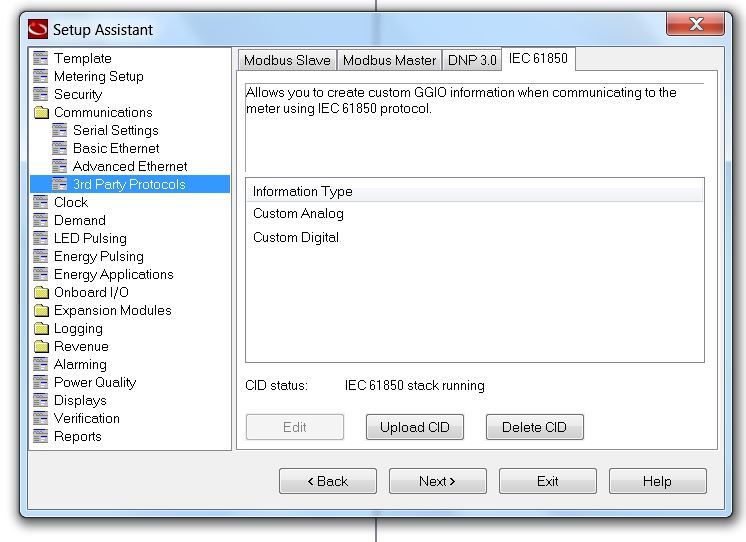
I try to do IEC61850 with the ION9000 LVCS but found no ftp my version is.
I take a look in the protocol list no FTP.
Link copied. Please paste this link to share this article on your social media post.
Hello @Yut ,
ION9000 only use SFTP not FTP. There is no possibility in ION Setup or Web Pages to modify SFTP parameters.
Please check the video above to know more aboute CID file transfer into ION Power Meters.
https://www.youtube.com/watch?v=kYd4SbYrrLw
https://www.youtube.com/watch?v=qOH7akVJaSo
Regards,
Link copied. Please paste this link to share this article on your social media post.
It works exactly the same as before - just use an SFTP client like WinSCP or Filezilla etc
Link copied. Please paste this link to share this article on your social media post.
Hello @Yut ,
ION9000 only use SFTP not FTP. There is no possibility in ION Setup or Web Pages to modify SFTP parameters.
Please check the video above to know more aboute CID file transfer into ION Power Meters.
https://www.youtube.com/watch?v=kYd4SbYrrLw
https://www.youtube.com/watch?v=qOH7akVJaSo
Regards,
Link copied. Please paste this link to share this article on your social media post.
Confirming Romain's response - in V3.0.0 firmware of ION9000/PM8000/ION7400, FTP and telnet were replaced with secure counterparts, SFTP and SSH.
Link copied. Please paste this link to share this article on your social media post.
Thank you very much.
How about COMTRADE file ? How can I get it download ?
Link copied. Please paste this link to share this article on your social media post.
It works exactly the same as before - just use an SFTP client like WinSCP or Filezilla etc
Link copied. Please paste this link to share this article on your social media post.
k
Thank you very much then I can share to our customer. I can see the COMTRADE folder as well.

You’ve reached the end of your document

Create your free account or log in to subscribe to the board - and gain access to more than 10,000+ support articles along with insights from experts and peers.
