
Ask our Experts
Didn't find what you are looking for? Ask our experts!
Share Your Feedback – Help Us Improve Search on Community! Please take a few minutes to participate in our Search Feedback Survey. Your insights will help us deliver the results you need faster and more accurately. Click here to take the survey
Schneider Electric support forum about installation and configuration for DCIM including EcoStruxure IT Expert, IT Advisor, Data Center Expert, and NetBotz
Search in
Link copied. Please paste this link to share this article on your social media post.
Posted: 2022-03-10 11:16 PM
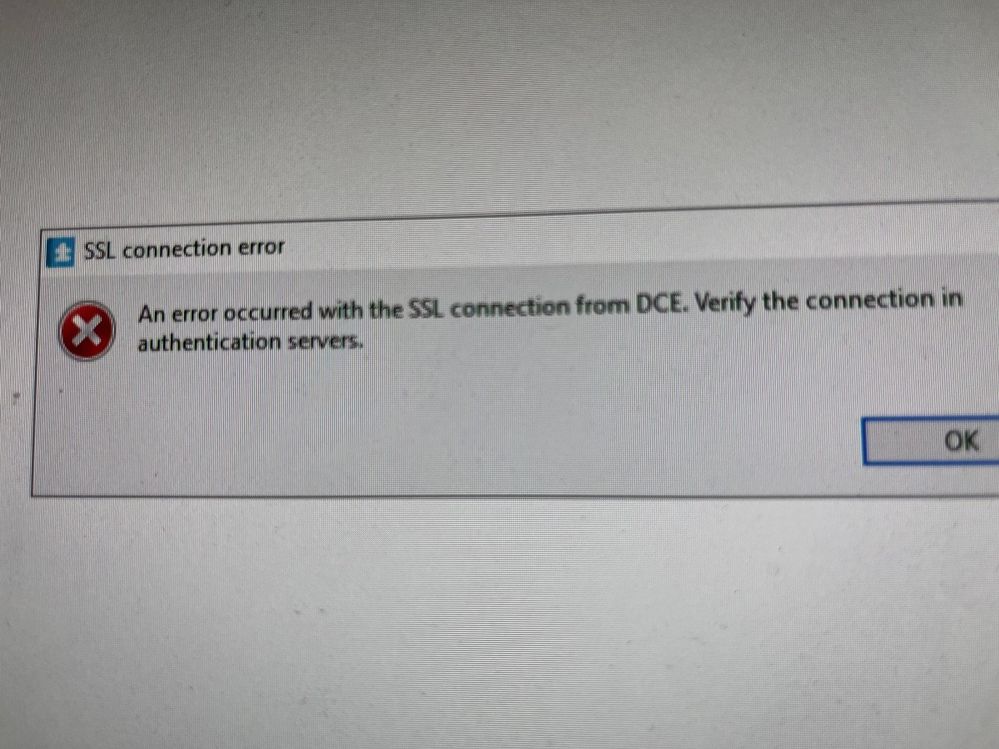
Hi, when DCO running, i get this warning. An Error Occured with the SSL Connection from DCE.
DCE versiyon 7.8.0
IT Advisor 9.0.3
Link copied. Please paste this link to share this article on your social media post.
Posted: 2022-03-11 01:01 AM
Hi Ender,
Apparently communication between the servers (ITA and DCE) may need to be updated (either due to ssl certificate change or user credential change for the integration).
In ITA desk-top client, go to System Setup > External System Configuration
edit the integrated DCE,
enter the credentials (if the password have been changed)
click the Test button
if it returns something like the server connection test was successful, then click OK
then click Next and Finish
and finally click 'Save and close'
That should update the communication between the servers.
Kind regards,
Jef
Link copied. Please paste this link to share this article on your social media post.
Posted: 2022-03-11 01:01 AM
Hi Ender,
Apparently communication between the servers (ITA and DCE) may need to be updated (either due to ssl certificate change or user credential change for the integration).
In ITA desk-top client, go to System Setup > External System Configuration
edit the integrated DCE,
enter the credentials (if the password have been changed)
click the Test button
if it returns something like the server connection test was successful, then click OK
then click Next and Finish
and finally click 'Save and close'
That should update the communication between the servers.
Kind regards,
Jef
Link copied. Please paste this link to share this article on your social media post.
You’ve reached the end of your document
Create your free account or log in to subscribe to the board - and gain access to more than 10,000+ support articles along with insights from experts and peers.