


Ask our Experts
Didn't find what you are looking for? Ask our experts!
Share Your Feedback – Help Us Improve Search on Community! Please take a few minutes to participate in our Search Feedback Survey. Your insights will help us deliver the results you need faster and more accurately. Click here to take the survey
Schneider Electric support forum about installation and configuration for DCIM including EcoStruxure IT Expert, IT Advisor, Data Center Expert, and NetBotz
Search in
Link copied. Please paste this link to share this article on your social media post.
Posted: 2020-07-03 08:15 AM . Last Modified: 2024-04-08 03:56 AM
Having no success mounting a network share. I can mount it directly from the OS but not DCE.
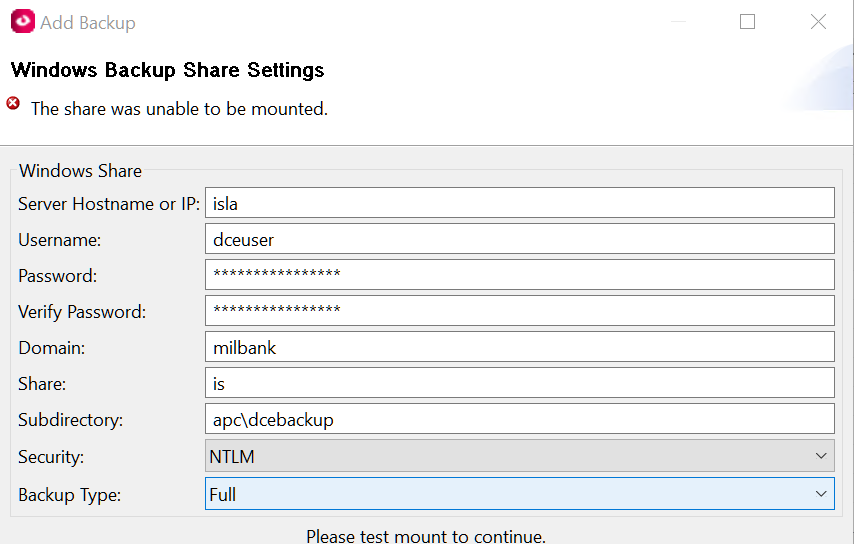
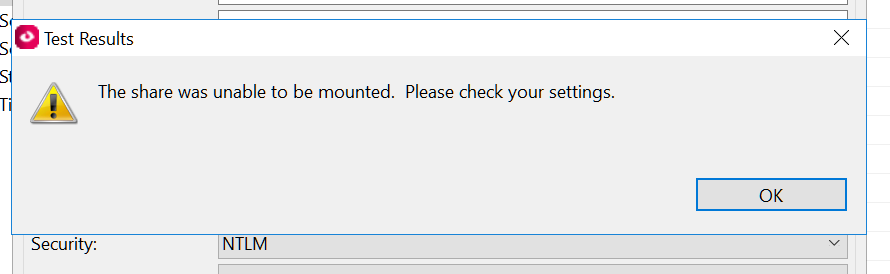
(CID:110005719)
Link copied. Please paste this link to share this article on your social media post.
Link copied. Please paste this link to share this article on your social media post.
Posted: 2020-07-03 08:15 AM . Last Modified: 2024-04-08 03:56 AM
Ed,
Please try following the steps in the following video knowledge base:
http://www.apc.com/sy/en/faqs/FA299440/
Regards,
Cory
(CID:110005723)
Link copied. Please paste this link to share this article on your social media post.

Link copied. Please paste this link to share this article on your social media post.
Posted: 2020-07-03 08:15 AM . Last Modified: 2024-04-08 03:56 AM
Thanks Cory. I have done all of that. The only difference being I'm using a domain share not a workgroup. Both share permissions and ntfs permissions are set. I've confirmed the password as well. No love...
(CID:110005724)
Link copied. Please paste this link to share this article on your social media post.
Link copied. Please paste this link to share this article on your social media post.
Posted: 2020-07-03 08:15 AM . Last Modified: 2024-04-08 03:56 AM
Additionally I've logged the user in directly and browsed to the share
(CID:110005725)
Link copied. Please paste this link to share this article on your social media post.
Link copied. Please paste this link to share this article on your social media post.
Posted: 2020-07-03 08:15 AM . Last Modified: 2024-04-08 03:56 AM
Ed, Try using the IP address of the server instead of the hostname. Also try other security options to see if they will work. Check to see how your domain is being listed on your computer (start menu > right-click on your computer name and select properties.) Regards, Cory
(CID:110005727)
Link copied. Please paste this link to share this article on your social media post.
Link copied. Please paste this link to share this article on your social media post.
Posted: 2020-07-03 08:15 AM . Last Modified: 2024-04-08 03:56 AM
Also, try using no subdirectories and test mounting to see if it makes a difference.
(CID:110005728)
Link copied. Please paste this link to share this article on your social media post.
Link copied. Please paste this link to share this article on your social media post.
Posted: 2020-07-03 08:15 AM . Last Modified: 2024-04-08 03:56 AM
Ok, got it going. I appended ".local" to the domain name at which point the NTLMSSP security option resulted in a successful mount.
(CID:110005731)
Link copied. Please paste this link to share this article on your social media post.
Link copied. Please paste this link to share this article on your social media post.
Posted: 2020-07-03 08:15 AM . Last Modified: 2023-10-22 01:10 AM

This question is closed for comments. You're welcome to start a new topic if you have further comments on this issue.
Link copied. Please paste this link to share this article on your social media post.

You’ve reached the end of your document

Create your free account or log in to subscribe to the board - and gain access to more than 10,000+ support articles along with insights from experts and peers.
